
Why I Treat Appliance Deals Like an Architecture Project
I approach appliance shopping like designing a building: methodical, repeatable, and precise. Appliances are expensive and bought rarely, so small savings add up. I use a playbook: collect reliable codes, stack offers smartly, read fine print, and execute a step‑by‑step purchase. This article walks through toolkit, sourcing tactics, timing strategies, pitfalls to avoid, and a practical walkthrough you can use.



Foundations: Building My Coupon Toolkit
Browser tools and quick checks
I keep a small set of browser extensions (price trackers, coupon finders, and ad blockers) so I never start from scratch. My routine: quick price-history check, auto-apply codes, then a manual verification. That three-second rule has saved me hundreds—once $150 on a Samsung front‑load washer by spotting a past-price dip.
Core accounts I maintain
- Cash-back portals (Rakuten-style) and their browser extensions
- Retailer and manufacturer loyalty accounts (points, free delivery thresholds)
- A dedicated shopping email and retailer mailing lists
My tracking system
I maintain a simple spreadsheet: code, source, stackable? yes/no, expiration, last-checked date. I also use calendar alerts and pinned bookmarks for active promos. Before checkout I validate codes: check the retailer’s coupon page, read the promo’s exclusions, and run a quick search for recent reports of failed codes—this prevents surprises at payment.
Sourcing Codes: Where I Find Reliable Discount Codes
Where I look
I systematically scan a handful of channels: official retailer newsletters and their promo pages, manufacturer rebate and promotion pages, aggregated coupon sites, community forums and deal subreddits, and—when appropriate—direct outreach via live chat or phone. These cover the spectrum from guaranteed promos to crowd-sourced leads.
How I vet and whether I’ll chase
I use quick heuristics to judge reliability and stackability:
- Check the retailer’s own promo page first—if it’s listed there, it’s usually reliable.
- Look for user reports in forums or recent comments on aggregated sites.
- Test the code in-cart to confirm stackability and watch for exclusion messages.
- Call or chat when a code looks promising but unclear—agents sometimes apply hidden offers.
I’ll pursue a questionable code when expected savings exceed a practical threshold (usually $75+) or it unlocks a rare perk (extended warranty, free haul-away). For small or uncertain gains, I move on and keep my checklist ready for the next deal.
Stacking and Timing: How I Combine Coupons, Codes, and Sales
The order I try discounts
I follow a strict sequence so I don’t leave money on the table:
- Store promo codes first (often the easiest to apply).
- Manufacturer rebates and instant‑mail‑in offers.
- Loyalty certificates or store gift‑card credits.
- Credit‑card offers (cashback or statement credits) last.
This order saved me $325 on a Whirlpool WRF535SWHZ by catching a store promo plus a manufacturer mail‑in rebate.
How I test combinations in cart
I create a mock cart and apply each code one by one, watching the subtotal and shipping line. If an exclusion pops, I screenshot it and try agent chat. I also compare final totals with and without rebates to decide if paperwork is worth it.
Timing, inventory cycles, and price‑matching
I target model‑year clearouts (spring/fall), big sale weekends (Memorial, Black Friday), and end‑of-month inventory dips. For price‑matching, I ask the retailer to match the lower price first, then apply a loyalty certificate or coupon—if their policy forbids both, I pick the net lowest out‑the‑door.
Decoding Terms: Reading Fine Print and Avoiding Common Pitfalls
What I always read first
- Exclusions by brand or model (some codes skip floor models or premium lines)
- Minimum purchase or bundle requirements
- Which categories/items the code applies to (appliances vs accessories)
- Shipping, handling, and “free delivery” caveats
- How returns affect manufacturer rebates or gift‑card credits
I once used a store promo on a Samsung French‑door that automatically voided the manufacturer’s $200 rebate; another code silently expired during checkout after showing valid earlier, so I lost time disputing it.

Practical pre‑checks I perform
- Screenshot promo terms, the cart with discounts, and the checkout confirmation
- Copy promo IDs and email them to myself
- Run the cart twice (with/without code) and note subtotal differences
- Save chat transcripts or order confirmation numbers for disputes
These are the quick, repeatable checks I run before executing the step‑by‑step play I’ll walk you through next.
My Deal Playbook: A Step-by-Step Walkthrough of a Typical Purchase
Quick checklist
- Compare baseline prices (MSRP, current sale, and Best Buy/Amazon price for models like Whirlpool WRS325SDHZ or Samsung RF28).
- Gather candidate codes and cashback offers.
- Test codes in the cart and screenshot results.
- Confirm stacking via phone/chat when ambiguous.
- Buy with the best combo; submit rebates and track cashback.
- Archive screenshots, confirmations, and chat transcripts.
Play‑by‑play I follow
- Open three tabs: retailer, price aggregator, and cashback portal.
- Apply top codes one at a time, noting subtotal changes.
- If a code looks inconsistent, call: “Hi, I have promo X in my cart; can you confirm it stacks with free‑delivery promo Y and a manufacturer rebate?”
- Finalize purchase with preferred payment and cashback portal activated.
- Submit rebate within 30 days and log everything.
Scripts & tracking template
- Phone script: “Order #, promo code , will this affect the manufacturer rebate?”
- Tracking columns: Retailer | Model | Base Price | Final Price | Codes Used | Cashback | Rebate Status | Docs (links)
That prepares you for the final section, Putting the Playbook to Work.
Putting the Playbook to Work
Start small: try one appliance and keep a one‑page checklist with codes, stacking rules, and reminders. I adapt the checklist after each purchase so it fits my routines.
Apply the system consistently — that repetition turns coupon hunting from a hobby into reliable savings. I encourage you to iterate, be curious and treat this playbook as a living tool. Keep it simple and start today.

25 comments
Sofia Alvarez
This was packed with practical stuff — loved ‘Foundations’ and ‘Sourcing Codes’. A couple of notes from my experience:
1) I use browser extensions to reveal hidden-ish coupons but still always cross-check manually.
2) For small useful items like the 6‑Pack Self‑Adhesive Silicone Cord Organiser Set or a DOQAUS thermometer, timing them into a larger appliance purchase (like a dishwasher) often gets you free shipping or bumped savings.
3) Anyone else bundle small add-ons to hit free shipping thresholds? Works like a charm but sometimes you gotta gamble on returns.
Also — do you recommend any specific price-tracking tools for non-techy folks?
DanCC
Thanks, Sofia. Yes — bundling small add-ons is a classic move to hit free shipping or minimum promo thresholds. For price tracking, try CamelCamelCamel for Amazon newcomers, or Honey’s Droplist for a simple UI. If you want browser-based push alerts, keepa is more powerful but has a slight learning curve.
DanCC
Also consider gift card deals (3rd-party sellers offering slight discounts) if the store accepts them — another layer to the stacking playbook. Just verify seller ratings to avoid scams.
Nina Ford
I swear by Keepa for historical price graphs but use CamelCamelCamel alerts — best of both worlds. If you’re scared of settings, Honey’s simpler and automates coupon checks at checkout.
Olivia Price
I’ve done the add-on trick loads. Just make sure return shipping isn’t worse than the item value if you need to return small things. Sometimes in-store returns are the safer bet.
Diego Ramos
One extra: check credit card portal offers (some cards show extra % back or statement credits). I got 5% back on a kitchen gadget once, stacked with a sale + coupon = unreal savings.
Ethan Morales
This playbook helped me snag an Instant Pot Duo on a discount last month. Quick & practical. Two tiny gripes:
1) I wish there were more screenshots of the checkout flow.
2) Any tips for stacking Amazon coupons specifically? They can be weird.
Jill Parker
On Amazon I try to add the item to cart and then open the coupon link from the product page in a new tab — sometimes that forces the coupon to register. Not foolproof but has worked for me a few times.
DanCC
Thanks Ethan — glad it worked for you. Amazon is weird: their “clip coupon” often applies before other discounts. I recommend applying any Amazon coupon first, then check for promo codes or third-party gift card deals. Price-tracking tools also show historical dips which helps time the purchase.
Laura Chen
Love the architecture analogy — made me actually WANT to plan a dishwasher purchase 😂
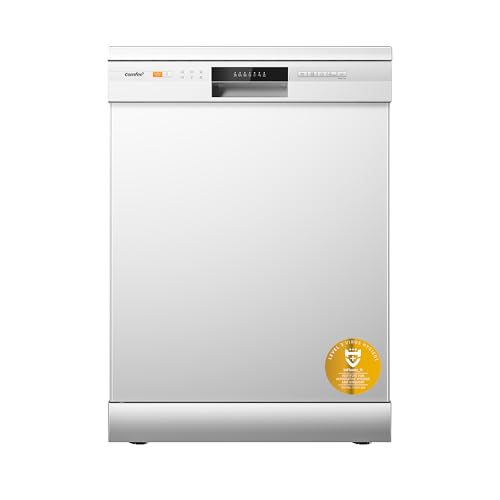
The COMFEE Full-Size 12-Place Dishwasher was on my radar and your stacking/timing section convinced me to wait for a sale + coupon combo. Quick question: do you usually prioritize store promo codes or manufacturer coupons when both are available? Also, nice tip about reading the fine print — saved me from a headache with a returned Instant Pot once.
DanCC
Also a practical tip — screenshot the coupon terms and the cart totals before you place the order. If something drops after purchase you can sometimes price-adjust or escalate with customer service.
Marcus Reed
I do the opposite sometimes: check if the manufacturer coupon is a fixed dollar amount — that can beat a small % off during a sale. For big appliances like the COMFEE, fixed $ off + sitewide sale = juicier savings.
DanCC
Great question, Laura — I usually stack store promos first (because they often apply site-wide) then apply manufacturer coupons if the store allows it. In many cases you get the biggest % off from the store sale, but the combined savings can vary per retailer. Always check the coupon stacking rules on the product page and the store’s coupon policy.
Priya Singh
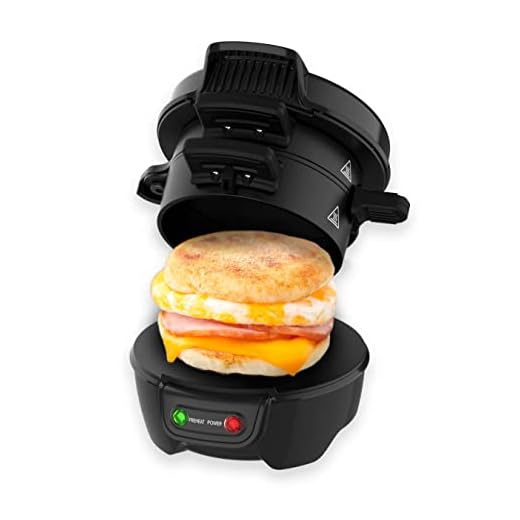
Really enjoyed the ‘Decoding Terms’ section — so many people skip that and then wonder why a coupon doesn’t apply. A specific scenario: if a coupon excludes bundles, how strict are returns/refunds if you bought the wrong SKU (eg. the Drew & Cole Breakfast Electric Sandwich Maker bundled with accessories)? Also curious if anyone had issues with the DOQAUS Instant Read Digital Meat Thermometer being excluded from promo codes on small retailers?
Maya Brooks
For returns, I always keep the packaging sealed until I’m 100% sure the coupon worked. If not, I open a chat with CS and share the coupon link + screenshots. Usually they refund the difference.
Arnav Patel
I’ve had a bundle processed as a separate SKU and the coupon wouldn’t apply. I ended up buying the items separately during a sitewide sale and saved more. Annoying but works.
DanCC
Also consider price-protection via some credit cards — if the price drops or coupon is applied after purchase, you may get the difference back from your card issuer.
DanCC
Great scenario, Priya. Bundles are often treated as a different SKU, so coupons excluding ‘bundled items’ can block them. If you were charged and it’s excluded, customer service sometimes honors a refund or partial credit if you point to the coupon terms — but it’s hit or miss. For the DOQAUS thermometer: smaller retailers may exclude certain brands from sitewide promos; always check the product page exclusions and keep screenshots if you plan to dispute.
Owen Black
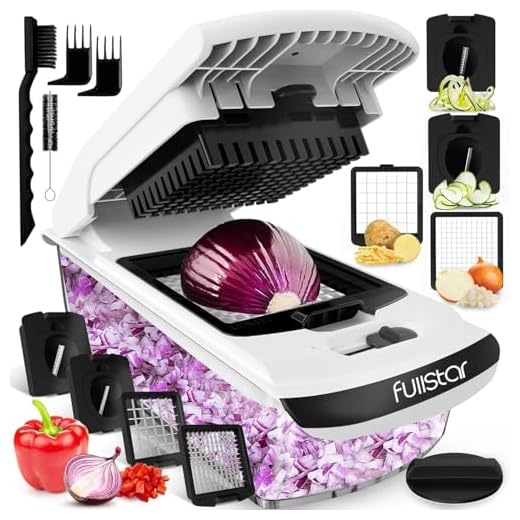
I came for the sandwich maker and stayed for the coupon geekery. The Drew & Cole Breakfast Electric Sandwich Maker + a 4‑in‑1 Manual Vegetable Chopper = breakfast empire, right? 😂
Also, tl;dr: coupon stacking is basically a hobby for me now. typos happen — whoops — but the playbook rules are solid. Any advice for holiday flash deals? 😂🔥
DanCC
Holiday flash deals are prime time. My advice: set alerts on price trackers, load the items into wishlists/carts early, and have your payment method and any required promo codes ready. For short flash deals, speed matters — combine saved coupons with store promos ahead of time so checkout is one click.
Lucas Grant
Pro tip: some stores release coupon codes early to email subscribers. Sign up with a burner email for the brand you want and you might get a head start on flash sales.
Lucas Grant
Nice guide. Short and useful. A couple of quick things:
– The COMFEE dishwasher has different model SKUs; double-check the exact model number when coupon says ‘excludes model X’.
– For DOQAUS thermometers and small gadgets, Amazon’s lightning deals sometimes beat coupon combos — so check both.
Appreciate the step-by-step playbook — made my last purchase smoother.
DanCC
If anyone wants, I can add a short appendix to the article listing quick-check items (SKU, bundle exclusions, return windows) to make checkout even faster.
DanCC
Exactly — SKU mismatches are a common gotcha. Glad the playbook helped. Pro tip: add the model number in your search and in coupon filters to avoid surprises.
Hannah Lee
Totally agree about lightning deals. I grabbed a meat thermometer during a lightning sale and then used a store coupon on a later accessory purchase. Mix and match!